This is written for commercial printers, mailing and fulfillment operations, and packaging converters evaluating digital four-color equipment. Understanding how the process actually works affects print quality, cost-per-piece, and turnaround speed, not just what's printed on a spec sheet.
"Four-color" and "CMYK" get thrown around constantly in sales conversations and press specs. Yet the actual mechanics, how a digital machine turns a file into a finished piece, are poorly understood at the operator and buyer level. Plenty of print buyers can name the acronym but couldn't explain why two "CMYK" machines produce noticeably different output.
Here's what this covers: how the digital four-color process works step by step, what factors affect output quality, where it gets used in production, and when it might not be the right fit.
Key Takeaways
- CMYK digital printing builds full-color images from inkjet-deposited dots in a single pass, not sequential plate-based stations
- Plates and makeready disappear entirely, enabling fast job changeovers and near-zero waste on short runs
- Output quality hinges on ink chemistry, printhead resolution, substrate type, and color calibration
- These presses are steadily replacing offset and toner for envelopes, packaging, and variable-data mail
- Understanding the process helps buyers choose the right press and diagnose quality issues faster
What Is the Four-Color Digital Printing Process?
Four-color digital printing applies cyan, magenta, yellow, and black (CMYK) inks directly onto a substrate through inkjet printheads with no plates involved. Millions of overlapping ink dots simulate a full spectrum of color, the same way a photograph is built from tiny colored pixels.
The result: full-color, photographic-quality images reproduced straight from a digital file at production speed, without a single plate ever touching the press.
How It Differs From Offset and Spot Color
| Method | How color forms | Mechanical distinction |
|---|---|---|
| Digital CMYK inkjet | Overlapping dot patterns build process color | Images digitally; no plates |
| Offset four-color | Also uses CMYK process colors | Metal plates transfer each color; extra colors need extra plates |
| Spot/Pantone | Pre-mixed, exact-match ink | Not simulated by overlaying the four process inks |
Digital eliminates plates, makeready, and sequential ink stations. It applies all four colors in a single continuous pass instead.
Spot color works differently still. CMYK simulates color through dot overlay rather than using a pre-mixed exact match, which means it has gamut limitations. Adobe's design guidance confirms this directly: some specified corporate colors can't be built from CMYK alone and require a dedicated Pantone ink.
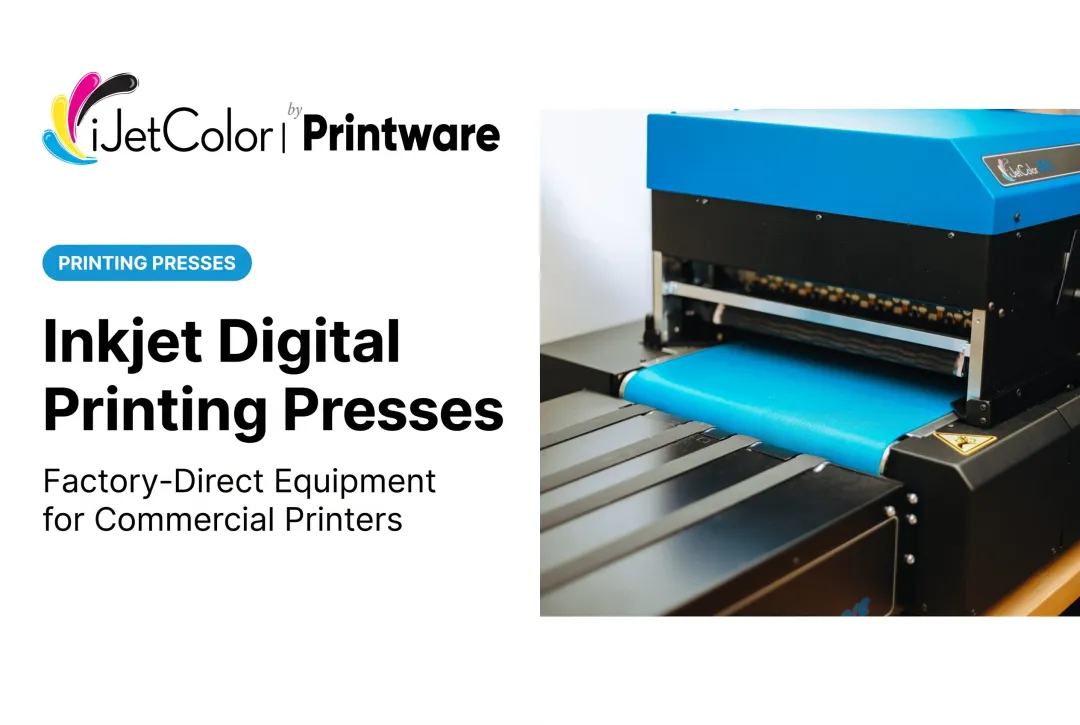
Modern digital four-color machines use fixed printhead arrays—HP PageWide and HP TIJ 4.0 thermal inkjet engines—to apply all four colors in one continuous pass at speed. That's the technology foundation behind presses like iJetColor's inkjet systems.
Even within one product line, the hardware differs: the 1175 family—the 1175, 1175C, and 1175 Pro + PXG—uses HP's FI-1000 printhead under the HP PageWide platform, while the high-speed 1275 Pro uses HP's TIJ 4.0 108 mm CMYK printbar. Same core process, different speed and price points.
How the Four-Color Digital Printing Process Works
A digital file moves through a Raster Image Processor (RIP), which color-separates it into CMYK channels. The printhead then deposits precise ink droplets onto a moving substrate to build the final image.
Four things happen in sequence:
- Input: Artwork prepared in CMYK color mode, not RGB, gets interpreted and separated by the RIP
- Deposition: The printhead fires microscopic ink droplets in exact dot patterns as the substrate passes beneath it
- Control: ICC profiles, printhead height, and curing settings keep color and registration consistent
- Output: The substrate exits full-color, full-bleed, and ready for finishing—no plate ever touched

Step 1: File Preparation and RIP Processing
Convert artwork to CMYK and send it through the RIP. The RIP breaks the file into the color separations and dot patterns the print engine needs. This stage sets color accuracy for the rest of the job.
iJetColorFlow 2.0, for example, uses what it calls CMYK True Color Technology. When a color is defined as 100% of a single CMYK component, the profile routes it straight to the corresponding ink channel, so a 100% cyan value fires only the cyan channel. That direct routing produces sharper edges and more consistent brand-color output than a system guessing at a blended approximation.
Step 2: Ink Deposition via the Printhead
The printhead array fires CMYK droplets onto the substrate in one pass, at full production speed, without sequential ink stations slowing things down. Printhead height is a bigger factor than it first appears.
On the iJetColor 1175 Pro + PXG, the same press handles envelopes up to 3/8 inch thick and packaging substrates up to 1/2 inch, so standard #10 envelopes and thicker packaging stock run without swapping hardware. Lighter models in the lineup handle a narrower range: the 1175C accommodates substrates up to 3/8 inch, the benchtop 1175 up to 1/8 inch.
Step 3: Ink Setting, Curing, and Output
Once ink hits the substrate, it needs to set before the piece moves on. Evaporation—usually heat plus airflow—is the most common production drying method, and some ink also absorbs into the substrate.
Operators inspect the finished piece for consistency, then move it to finishing—cutting, folding, inserting, or mailing—with no printing plate anywhere in the workflow.
Where the Process Is Applied and Key Factors That Affect It
Where Digital Four-Color Printing Is Used
Digital four-color printing shows up across:
- Commercial print shops and quick-print franchises
- Direct mail and mailing/fulfillment operations
- Packaging and envelope converters
- In-house corporate print centers
It's applied primarily at the production stage, especially for short-run, quick-turnaround, and personalized variable-data jobs.
The most common trigger is bringing outsourced work back in-house. Shops that previously sent four-color envelope jobs, including variable-data work, to an outside vendor gain available press time and fewer handoffs once production moves inside.
Many start with a single press for short-run, full-color jobs and add a second unit as that volume grows.
Digital packaging adoption is climbing too. Smithers values the digital packaging and labels market at $22.0 billion in 2025, projecting growth to $36.9 billion by 2030, a figure that includes both inkjet and electrophotographic systems, not inkjet alone.
Key Factors That Affect the Process
Output quality depends on several variables working together:
- Ink and substrate: Pigment vs. dye ink and substrate porosity or coating affect absorption and color vibrancy
- Operating conditions: Printhead height, humidity, and temperature influence curing and dot placement accuracy
- Equipment: Printhead resolution, RIP software, and calibration profiles set the achievable ceiling for image quality
- Throughput: Press speed versus quality trade-offs, and how run length shapes overall cost-efficiency
- Durability requirements: Resistance to light, water, and abrasion matters for mailed or handled pieces
Scale matters more than most buyers expect. iJetColor's lineup covers a wide production range:
- iJetColor 1175: up to 7,000 #10 envelopes per hour
- iJetColor 1175C: 6,210–10,000+ per hour, rated for 100,000+ envelopes a month
- iJetColor 1175 Pro + PXG: 10,000+ per hour, rated for 150,000+ envelopes a month
- iJetColor 1275 Pro: up to 20,000 #10 envelopes per hour

The HP FI-1000 printhead is rated for up to 1,000,000 impressions depending on coverage, and the 1275 Pro's 108 mm printhead is rated for millions of impressions.
On durability, the pigment-based HP ink used in iJetColor presses is water, fade, and scratch resistant—relevant for anything that travels through the mail stream.
Common Issues, Misconceptions, and When It May Not Be Appropriate
Misconceptions and Common Issues
Three misunderstandings show up repeatedly among print buyers:
- "CMYK can match any color exactly." It can't. Highly saturated tones fall outside its gamut and need a dedicated spot color station.
- "All digital four-color machines perform the same." They don't. Printhead technology, resolution, and ink formulation all change results—even within one lineup, as the HP FI-1000 and TIJ 4.0 options across the iJetColor family show.
- "Color drift means the machine is broken." Often it's a calibration issue, not a malfunction. A University of Wisconsin case study using ICC profiles and spectrophotometer checks pushed color accuracy above 95% and cut reprints by 60%, without hardware changes.
When the Process May Not Be the Right Fit
Digital four-color isn't automatically the right call for every job:
- Very large, solid-color, high-volume runs may still favor offset, where per-unit cost drops further at extreme scale. Uptime, imposition, media, and labor all shift the crossover math—there's no single industry-wide number.
- Exact Pantone or brand-color matching without an added ink station usually needs spot color, not CMYK alone.
- Monthly volume above a press class's design range is a poor fit for digital by default. If output consistently exceeds what that class is built for, re-evaluate the choice instead of assuming digital always wins.
Conclusion
The four-color digital printing process is a file-to-RIP-to-printhead-to-output workflow that reproduces full-color images without plates. A CMYK file gets separated by the RIP, ink droplets deposit in one pass, and the ink sets before the piece moves to finishing.
Knowing how mechanics, inks, printheads, RIP behavior, and calibration work together helps you choose the right machine and keep quality consistent once it's running.
Manufacturer-direct platforms like iJetColor's HP PageWide and HP TIJ 4.0 thermal inkjet presses are built around this process. iJetAdvantage support and the iJetColor Training and Certification Program keep color calibrated and printheads maintained long after installation.
Frequently Asked Questions
What is four-color digital printing?
It's a process that applies cyan, magenta, yellow, and black inks via inkjet printheads to reproduce full-color images directly from a digital file. No printing plates are involved at any stage.
How much does a four-color digital printing machine cost?
Pricing varies widely based on speed, printhead technology, and features like packaging automation. Request a quote based on your production volume and application, since a 5,000-envelope-a-month shop and a 150,000-a-month operation need very different equipment.
Which is the best four-color digital printing machine?
"Best" depends on speed, substrate range, and application. For short-run, high-volume commercial envelope and packaging work, high-speed inkjet options like iJetColor's presses are built specifically for that use case.
What is the difference between 4-color and 6-color process printing?
Six-color adds orange and green, or sometimes violet, to CMYK, which meaningfully widens the color gamut. Light cyan and light magenta variants, by contrast, mainly smooth tonal transitions rather than expand what colors are achievable.
Can four-color (CMYK) printing match Pantone or brand spot colors exactly?
Not always. CMYK has real gamut limitations, and exact brand colors often require a dedicated spot or Pantone ink station rather than relying on process color alone.
How fast are digital four-color machines compared to offset or toner presses?
Single-pass digital inkjet presses can outpace toner systems, and they skip offset plate and makeready time entirely. That makes them faster and more profitable for short-run envelope production than offset, outsourcing, or toner, which is especially valuable for short and variable-data runs.